Section 16.1 Day 17x In-Class: Project Work, and Power Management
Today we’ll look at where a microcontroller’s power goes, the four low-power modes and the one instruction that enters them, and the independent watchdog.
One project partner stays at their table, the other walks around to look at other projects. Each person gets one of each of these LEGO pieces and they deposit their piece with the project they want to vote for in the given category:
| Most Creative System (1x12) | 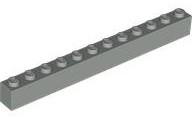 |
| Cleverest Device Name (2x4) | 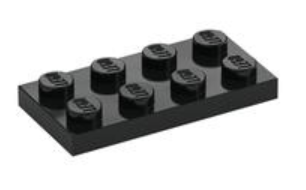 |
| Best use of Adafruit App (1x4) | 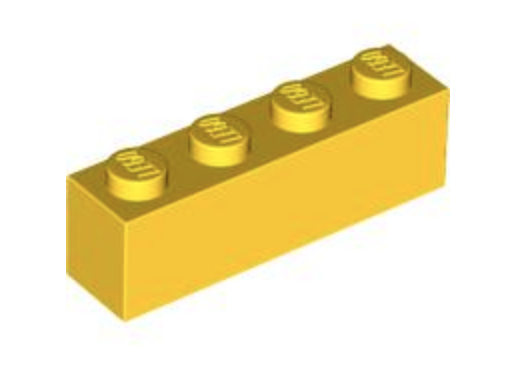 |
| Best Overall Solution (2x2) | 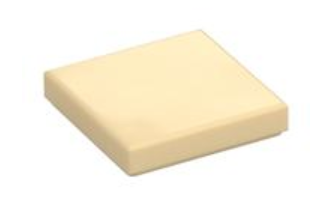 |
In your demonstration:
-
Explain what your system does.
-
Does the system have at least two actuators?
-
Does the system have at least two sensors?
-
Does it function correctly with no Bluetooth central connected?
-
Can it be connected to by a phone?
-
Does the Bluetooth interface function as expected?
Here’s where we’ve been:
-
Break a problem down and construct a modular hardware+software solution.
-
Use embedded programming techniques to write "bare metal" microcontroller programs in C.
-
Write interrupt-driven and timer-driven programs.
-
Read an electronic component data sheet to understand how to use it.
-
Design and test basic analog electronic circuits.
-
Use the key principles and specifications of analog-to-digital converters to accurately acquire low frequency signals.
-
Use the physical principles and electrical specifications of common sensors and actuators for embedded design.
-
Communicate data between a microcontroller and sensors/actuators using a few standard protocols (UART, I2C, GPIO).
Courses that have been mentioned during ENGS 28:
-
ENGS 21, Introduction to Engineering
-
ENGS 22, Systems
-
ENGS 32, 61, 125, Analog and Power Electronics
-
ENGS 129, Biomedical Instrumentation
-
ENGS 31, Digital Electronics, and COSC 51, Computer Architecture
-
ENGS/COSC 50, Software Design
-
ENGS 26, Control Theory, and ENGS 147, Mechatronics
-
ENGS 62, Microprocessors in Engineered Systems
-
ENGS 68, Communication Theory, and ENGS 110, Signal Processing
In another course you may have to pick a microcontroller for a project. Start by working out what the project needs:
-
Which peripherals does the project need, and how many of each: ADC channels, PWM timers, UART, I2C, SPI (Serial Peripheral Interface), USB? We used most of these this term.
-
Does the project need WiFi or Bluetooth Low Energy (BLE)? Each requires a part with that radio built in, so answer this early: it rules out a number of options.
-
If it runs on a battery, the sleep-mode current matters as much as the feature list.
-
How much flash and RAM, and how many pins? Count your signals and round up.
-
Then pick a part whose ecosystem you can use, and prototype on a development board rather than on a bare chip.
-
An example: a thermostat that reads a TMP235 and drives your I2C display needs one ADC channel, one I2C bus, no wireless, and wall power.
Lots of sources for processor chips and development boards. But a good design depends on more than just a good set of chip specifications, or a low price. You will also need many of these:
-
Development / evaluation boards
-
Language support (C, C++, MicroPython, CircuitPython)
-
Debuggers (your Nucleo’s built-in ST-LINK is one), and emulators (software that pretends to be the chip)
-
Real time operating system (RTOS: FreeRTOS, Zephyr). An RTOS keeps multiple tasks going at once, with precise timing that you control.
-
Device drivers, APIs, examples
-
Data sheets and application notes
-
Developer community, and field application engineers (vendor engineers who help you use their parts)
-
Your STM32C031C6 is one member of the enormous Arm Cortex-M family, the most widely used microcontroller architecture. Everything we did this term carries over: reading a reference manual, and configuring GPIO, timers, interrupts, the ADC, the UART and I2C. The register names differ from vendor to vendor, so you will still read the new part’s manual.
-
Arm designs the processor cores (M: microcontrollers, A: microprocessors) but makes no chips. ST licenses the Cortex-M design from Arm, adds its own peripherals, and makes the chip: an STM32 is an Arm core with ST peripherals around it.
-
ST alone spans the small C0 family you used up to the H7 family at the high-performance end. Most families have a Nucleo board like yours (typically $15 to $40), programmed with the same tools we used this term.
-
Other Cortex-M vendors are Microchip, NXP, Renesas, Infineon and Silicon Labs. Nordic makes the Bluetooth Low Energy radios: your Bluefruit module runs on Nordic’s older nRF51822, and the nRF52 and nRF54 are the current families.
-
Raspberry Pi’s RP2350, on the $5 Pico 2 board, is a plain microcontroller, and it has taken over the hobby low-cost end.
-
Espressif’s ESP32 family is a different kind of part: a microcontroller with WiFi and Bluetooth radios built into the chip.
-
RISC-V is an open, royalty-free instruction set, and the fastest-growing one. Espressif’s newer ESP32 parts (the C3 and C6) use it, and the Pico 2 can boot RISC-V cores in place of its Arm ones.
-
8-bit and 16-bit processors are still in production: Microchip releases new AVR and PIC parts every year, and TI still sells the MSP430 (its newer small parts, the MSPM0s, are Arm-based).
-
The AVR was the chip in the original Arduinos; today’s UNO boards carry Arm parts. A 32-bit part now costs about the same as an 8-bit one.
-
To stay with what you know, pick another STM32 Nucleo: G0 for general-purpose work, G4 for analog and motor control, L4 or U5 for battery life.
-
For WiFi or a phone app, an ESP32 development board is the cheapest way to put a project on the network.
-
For Bluetooth Low Energy on a coin cell, use a Nordic nRF52840 or nRF54 development board. These are the parts most commercial BLE products use.
-
The Raspberry Pi Pico 2 ($5) is inexpensive and very well documented, and you can program it in C or in MicroPython.
-
If the project needs Linux, a camera, or machine learning, it needs a small computer rather than a microcontroller: a Raspberry Pi 5, or an NVIDIA Jetson for machine-learning work ("edge computing").
-
Arduino is still fine for a quick prototype, and Arduino’s libraries run on many of the boards above.
-
Distributor parametric search (Digi-Key, Mouser): filter by the requirements you worked out, and by what is actually in stock.
-
Every vendor has an online product selector. ST’s lets you filter the whole STM32 line by peripheral, memory, and package.
-
Adafruit and SparkFun sell breakout boards and publish drivers and tutorials for nearly every sensor you would wire to any of these.
-
Make: magazine publishes an annual Guide to Boards: makezine.com/comparison/boards
-
Before you commit, download the datasheet and the reference manual and confirm that the peripheral you need really is on that part.

